Standing
A quiet macOS menu bar app that watches your desk posture and nudges you when you've sat too long.
Webcam checks sit vs stand. No timer guessing.
How it works
Three steps. That is the whole product.
- You sit at your desk Standing lives in the menu bar and watches the webcam only when it needs a check.
- It notices posture Vision AI looks at a small frame and decides sitting or standing — not a timer.
- You get a gentle nudge If one posture lasts too long, macOS notifies you. Stand, sit, or pause for a meeting.
Inside the app
Menu, activity, and settings — what you'll see day to day.
Status Sitting, standing, or paused — at a glance.
Suggestions & settings Toggle nudges or open Settings.
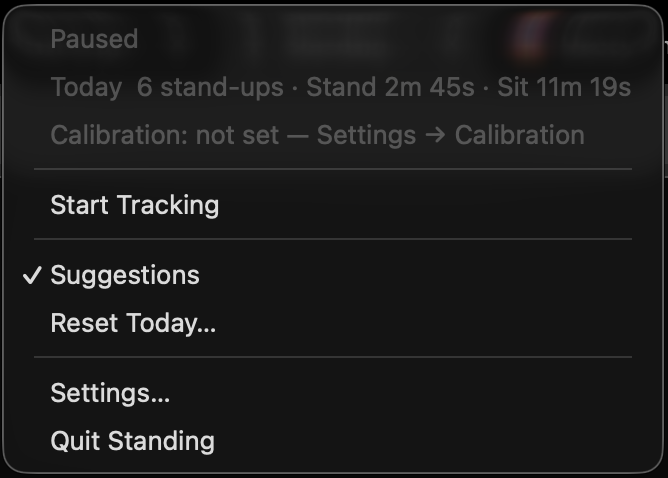
Today at a glance Stand-ups and sit vs stand time.
Pause / resume Stop AI checks for meetings without quitting.
- Status Sitting, standing, or paused — at a glance.
- Today at a glance Stand-ups and sit vs stand time.
- Pause / resume Stop AI checks for meetings without quitting.
- Suggestions & settings Toggle nudges or open Settings.
Today's summary Status, stand-ups, and sit vs stand time.
Recent days Scroll the week's stand-ups and totals.
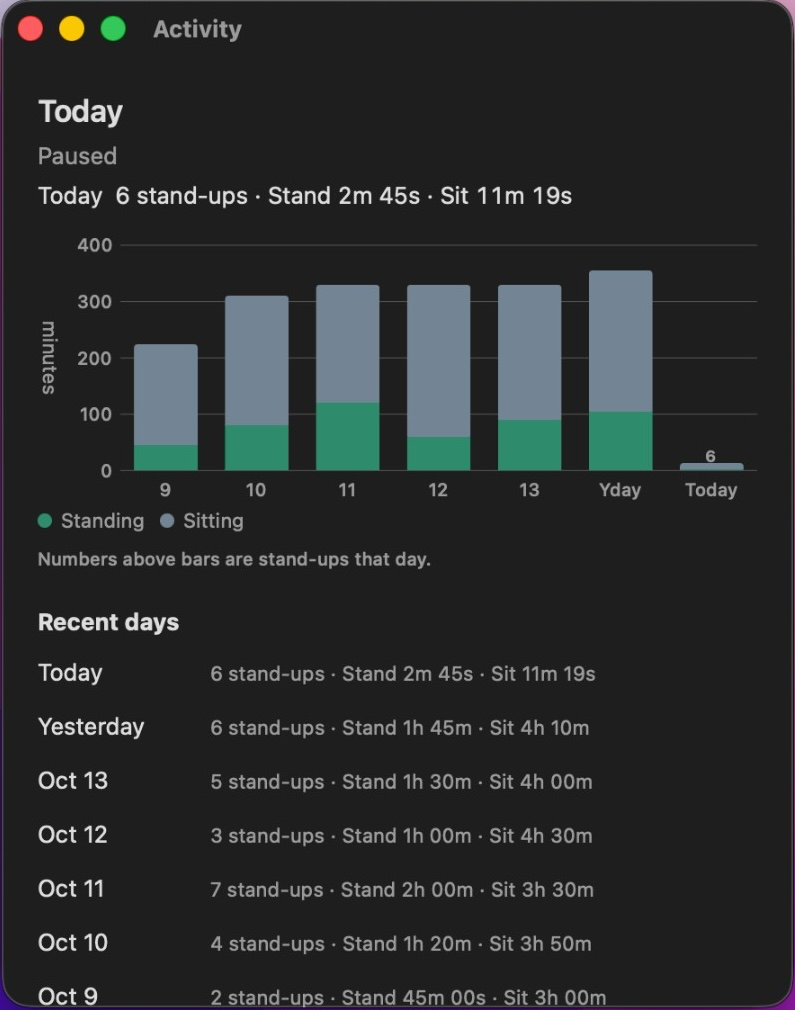
Week at a glance Standing vs sitting minutes for the last 7 days.
- Today's summary Status, stand-ups, and sit vs stand time.
- Week at a glance Standing vs sitting minutes for the last 7 days.
- Recent days Scroll the week's stand-ups and totals.
Your AI API key From console.typesafe.ai — stored in Keychain.
Calibrate once Snap sitting & standing references for AI.
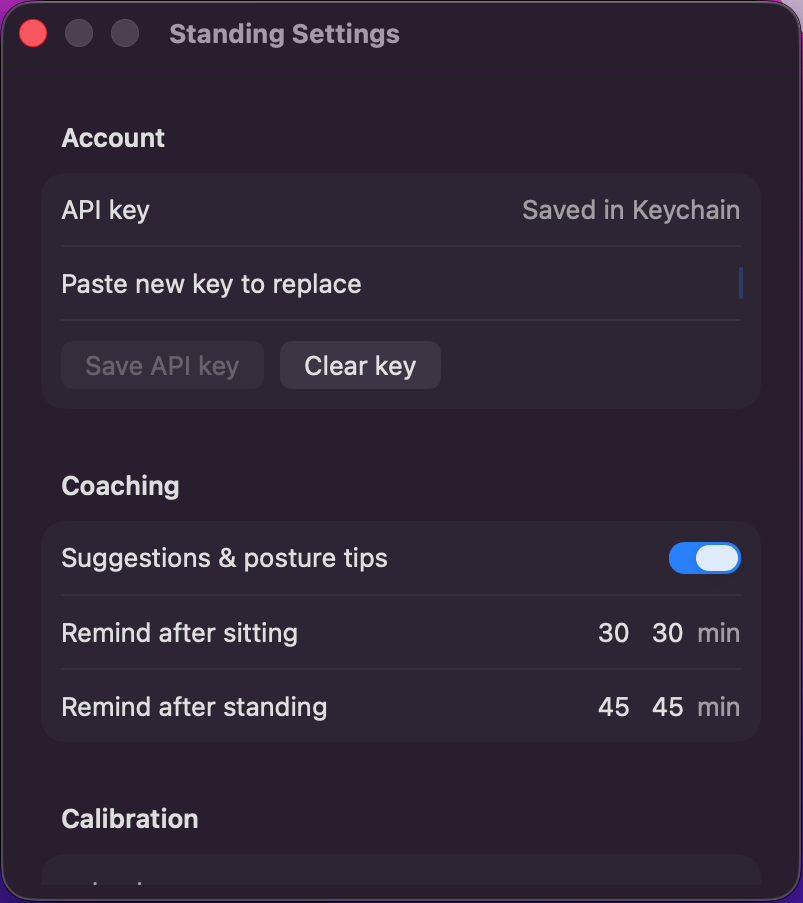
Standing thresholds Remind after sitting or standing too long.
- Your AI API key From console.typesafe.ai — stored in Keychain.
- Standing thresholds Remind after sitting or standing too long.
- Calibrate once Snap sitting & standing references for AI.
Why Standing
-
AI posture checks
Uses vision AI on your webcam to tell sitting from standing — not timers or guesswork.
-
Quiet menu bar
A small icon and streak time near the clock. Open the menu when you want a glance.
-
Checks only when needed
AI runs on motion or a slow heartbeat — never on every webcam frame. No motion, same posture — it waits instead of re-asking.
-
Gentle standing nudges
macOS notifications after you've sat or stood too long, plus simple posture tips.
-
Your key, your camera
Bring your own API key from console.typesafe.ai (saved in Keychain). Frames are checked when needed, not streamed all day.
-
Calibrate once
Snap sitting and standing references so AI checks match how you actually work.
If Mac won't open it the first time
Apple may show an unverified-developer warning — Standing isn't notarized yet. One-time only; after that it opens normally.
- Drag Standing from the DMG into Applications.
- Control-click Standing → Open, then confirm Open again (a normal double-click won't unlock it once).
- Or in System Settings → Privacy & Security, choose Open Anyway next to the Standing message.
Prefer Terminal? After it's in Applications, clear the quarantine flag:
xattr -cr /Applications/Standing.appCamera and notification prompts are separate — allow those when macOS asks.